Help ›
Promo videos for social media
AJJA POS help · ajjapos.com/help/promo-video
Show your followers what is cooking. In the back office you make a 15 to 20 second video with music from your own menu photos, ready for Instagram Reels, TikTok, Facebook Stories and WhatsApp Status.
1Open Promo video
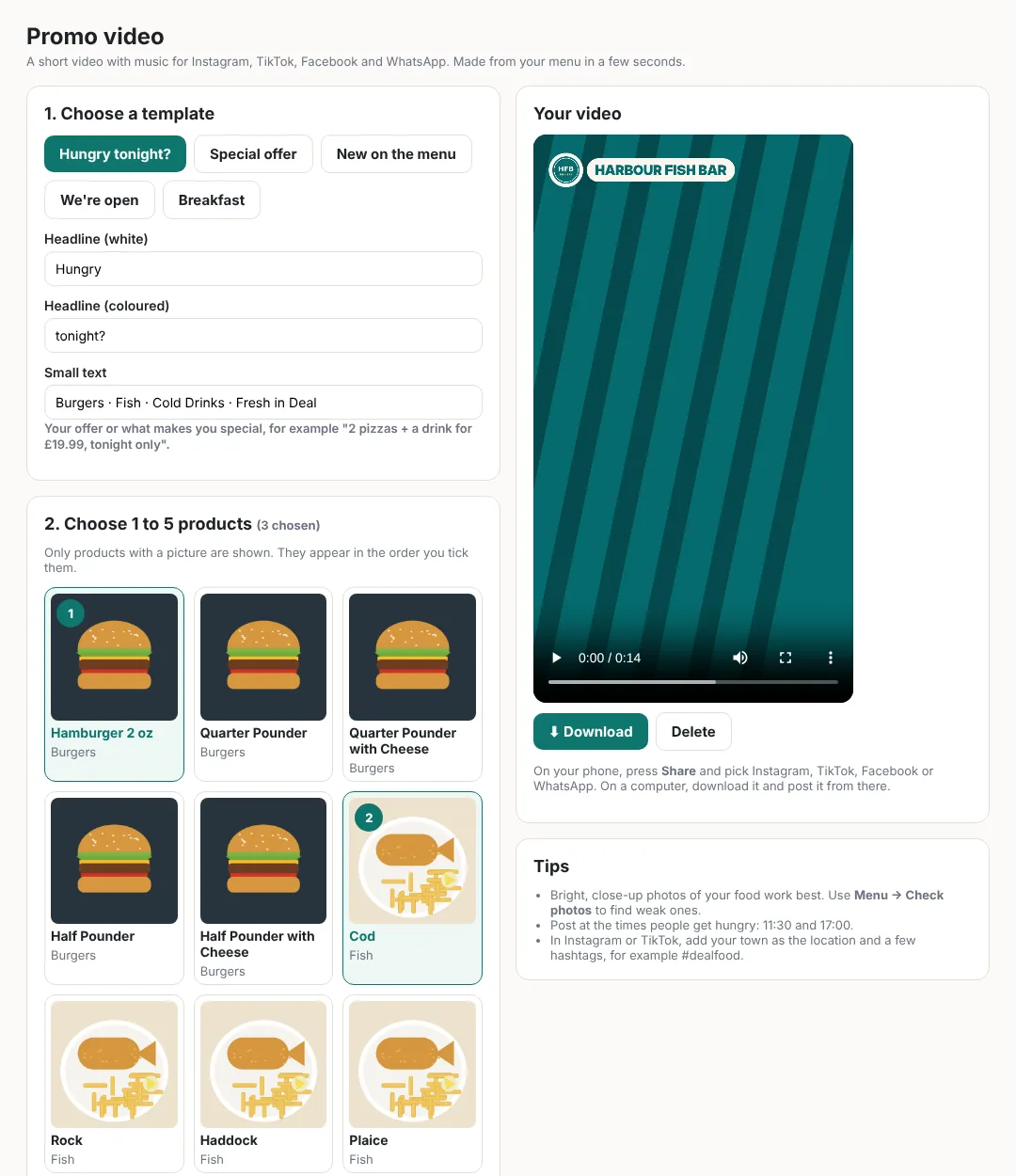
In the back office, open Promo video. It uses the pictures of your products, so add good photos in Menu first (press Edit on a product).
2Choose a template and write your headline
Pick Hungry tonight?, Special offer, New on the menu, We're open or Breakfast. Change the two headline lines and the small text to say what you want, for example 2 pizzas + a drink for £19.99, tonight only.
3Choose 1 to 5 products
Tick the products to show. Each gets its own moment in the video with its photo, name, description and price. They appear in the order you tick them.
4Special price for set dates (optional)
Want those products cheaper for a few days, or only at certain times (for example Fish Friday: cod and chips £6.99, every Friday this month)?
- Under 3. Special price for set dates, press ➕ Set a special price and dates.
- Type a name customers will see, for example Fish Friday.
- Type the New price (for example 6.99), or choose % off and type the percentage.
- Choose the First day and the Last day.
- Only on some days? Tick them (for example Fri). Only at some hours? Fill in Only from and Until (for example 12:00 until 14:00). Leave them empty for all day, every day.
- Press Save special price. You see ✓ This video is for the offer Fish Friday.
The video now shows the special price with the normal price crossed out, the offer's name, and the dates.
5Choose colour, music and prices
- Colour: pick the one closest to your shop.
- Music: press ▶ Listen next to Upbeat, Funky and Chilled to hear them (press ■ Stop to stop), then tick the one you like. It is our own music, so you can post it anywhere without copyright problems. Or choose No music and add a popular song in Instagram or TikTok when you post.
- Prices: take out, delivery or eat in prices, or none.
- Web address: shown at the end, for example happyfryer.co.uk. It is filled in for you when you take online orders.
6Make it and post it
Press Make video. After 15 to 30 seconds your video plays on the page.
- On your phone: open the back office on your phone, press Share and pick Instagram, TikTok, Facebook or WhatsApp. It opens your own account with the video ready: add a caption and post it to your followers.
- On a computer: press Download and post the file from there.